

If you’ve ever noticed a green dot or “Recently Active” label on Tinder profiles, you might wonder what it actually means. This quick guide explains everything about how Tinder shows your activity, how you can hide it, and what’s changed in 2025.
TL;DR
- The green dot or “Recently Active” tag means a user was active within the last 24 hours (or within 2 hours if “Online Now”).
- You can turn off your activity status in Tinder settings to stay private.
- Premium users (Gold/Platinum) may get enhanced visibility for activity indicators.
- The green dot doesn’t mean someone is online right now — only that they used the app recently.
- Hiding your status helps maintain privacy while still allowing matches.

What Is Tinder Recently Active?
“Recently Active” means the person has opened Tinder within the past 24 hours. “Online Now” means they’ve been active within the last 2 hours. It doesn’t necessarily mean they’re currently swiping or chatting — only that they’ve used the app recently.
Who Can See Activity Status
Most users can see if someone is “Recently Active,” but full visibility (including green dots or exact times) often depends on your subscription tier. Tinder Gold and Platinum users generally have more access to activity insights, while free users see limited details.

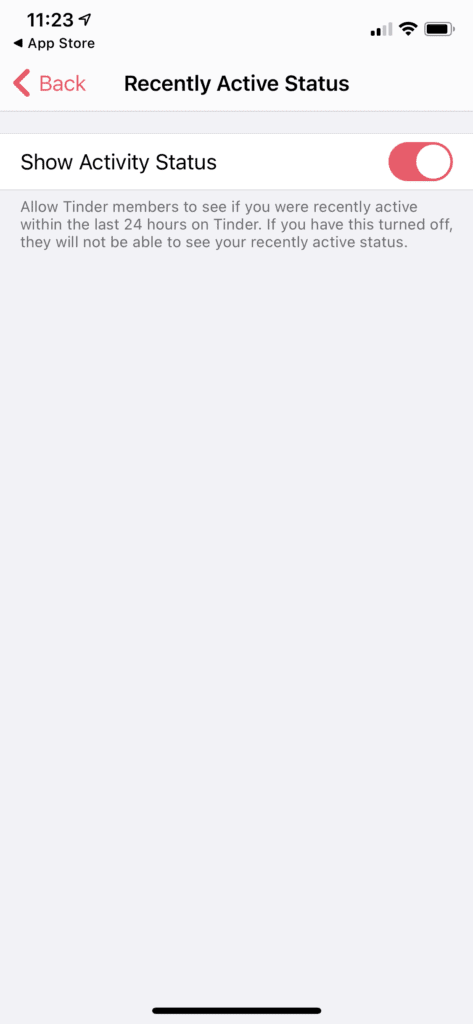
How to Hide Your Online or Active Status
If you don’t want others to know when you were last active, you can easily hide it:
- Open Tinder and tap your profile icon.
- Go to Settings.
- Scroll to Recently Active Status or Activity Status.
- Toggle off Show Activity Status or Online Now.
When you do this, others won’t see your green dot or “Recently Active” tag. Keep in mind that if you hide your activity, you may also lose the ability to view others’ statuses.
Does the Green Dot Mean Someone Is Online Right Now?
Not necessarily. The green dot only shows recent activity — not a live online indicator. Tinder doesn’t show exact timestamps, and even if someone appears “Recently Active,” they may not be using the app at that exact moment.

Why Activity Status Matters
- Better matching: Active users are more likely to respond quickly or swipe back.
- Privacy control: Turning off your status gives you more freedom to browse unnoticed.
- Expectation management: A lack of status doesn’t always mean someone’s ignoring you — they might have hidden it.
- Smart swiping: Seeing who’s recently active helps prioritize potential matches.

Common Misconceptions
- “Green dot = online now” — False. It means they’ve used Tinder recently, not necessarily right now.
- “No dot = inactive account” — Not always. They could have disabled the feature.
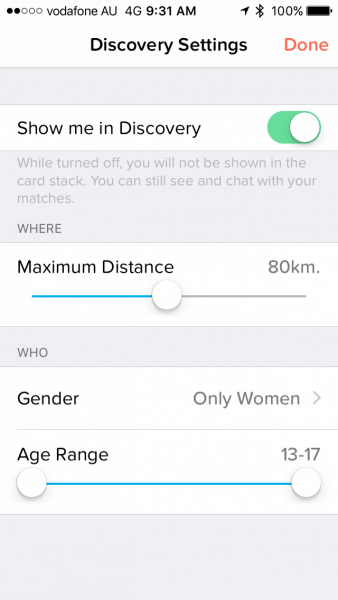
- “Turning off status hides your profile” — Incorrect. You’ll still appear in swipe decks; your activity just won’t show.
Final Thoughts
Tinder’s “Recently Active” and green dot features are simple indicators that someone has used the app recently. In 2025, these tools help users find more responsive matches, but they don’t reveal real-time activity. Whether you choose to show or hide your status, understanding how it works gives you more control over your dating privacy and experience.
FAQ
What does the green dot mean on Tinder?
It means a user was active in the past 24 hours or, if marked “Online Now,” within the past 2 hours. It’s not a live indicator of current activity.
Can I hide my Tinder online status?
Yes. Go to your profile settings and toggle off “Show Activity Status” or “Online Now” to hide when you’re active.
Does hiding my status hide others’ statuses too?
Usually yes — if you turn off your activity visibility, you may also lose access to view other users’ online or recent activity.
Does the green dot mean someone is chatting right now?
No. The green dot only shows they’ve used the app recently, not that they’re currently messaging or swiping.
How often does Tinder update the “Recently Active” status?
Tinder updates statuses based on usage within the last 24 hours for “Recently Active” and roughly within 2 hours for “Online Now.”
Can Tinder users tell if I’m ignoring them?
Not really. Tinder doesn’t show read receipts or precise activity times, so others can’t tell if you’ve seen or ignored their message.
