

Your profile photos do the heavy lifting on Bumble. Because the app crops images on the swipe card and displays them differently when tapped, getting the size and framing right can make the difference between a pass and a match. Below is the updated, no-nonsense guide to Bumble photo sizes, aspect ratios, and quick tips that work in 2025.
TL;DR
- Aim for portrait photos in 3:4 (e.g., 1080×1440 or 1200×1600) to minimize awkward crops on the swipe card.
- Upload 4–6 sharp images and turn on Best Photo so Bumble can automatically rank your top pic.
- Keep your face centered with space around you; busy edges get cut on the swipe card.
- Follow Bumble’s photo rules to avoid moderation issues and keep your profile visible.
- High-resolution uploads look better—1080px on the short side is a safe minimum in 2025.
Dude Hack Exclusive Offers



How Do Bumble Photos Work?
Bumble (Date, BFF, and Bizz) uses a swipe-card layout where your photo is shown tall on first view, then expands to its original ratio when someone taps it. That means the first impression is a cropped, vertical frame, but users can still see the whole picture when they tap to expand. Keep this in mind as you choose and frame your shots.
How Bumble Crops Your Photos
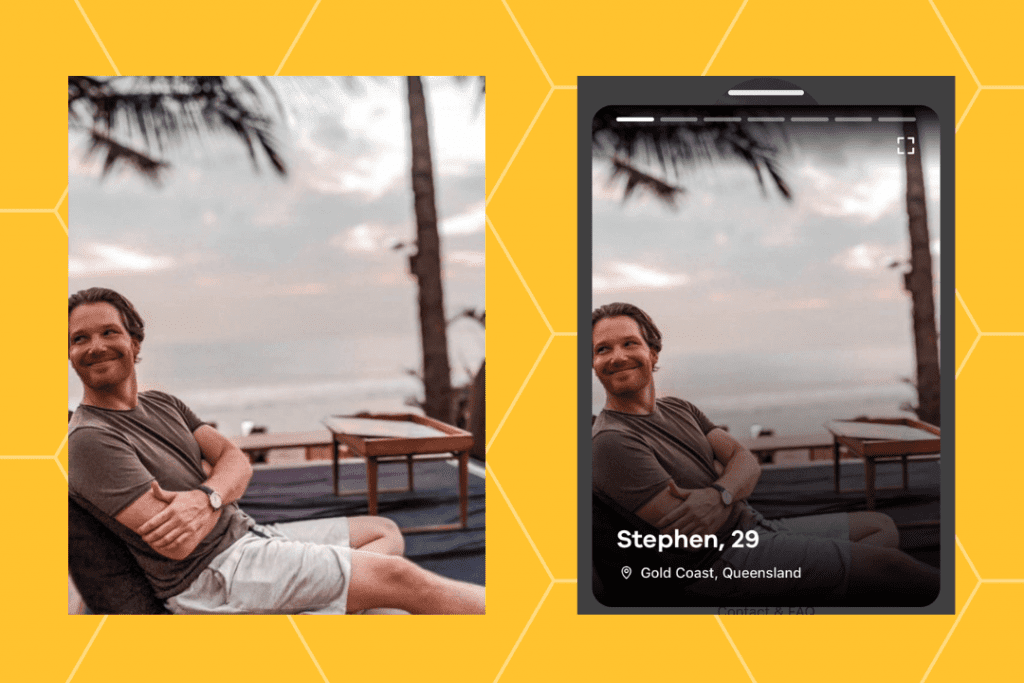
Bumble still crops images on the swipe card to a tall portrait slice to keep profiles consistent. The app now recommends uploading portrait photos at a 3:4 aspect ratio to reduce unexpected cuts. You’ll see a live preview during upload, so make sure your face is centered and not hugging the edges. Before saving, check that nothing important (top of your head, hands, or a second person) sits on the far edges—they’re the first to be trimmed.
Bumble Photo While Swiping vs. Full Screen
On the swipe card, your image is displayed in a narrower portrait crop; when tapped, it opens in full size. This means landscape photos can still work—just ensure the main subject stays centered so the initial vertical crop still looks natural. If there’s anything in the wider scene you don’t want visible, crop it out before uploading.
Bumble Photo Dimensions and Aspect Ratio
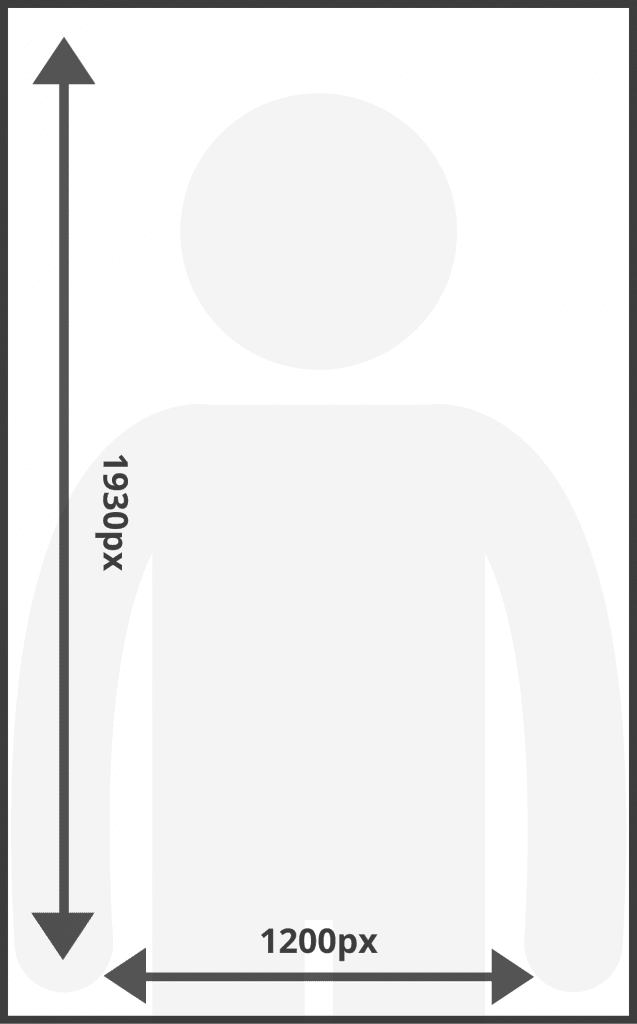
- Recommended aspect ratio (2025): 3:4 portrait (examples: 1080×1440 or 1200×1600). This helps your photo render cleanly on all devices.
- Minimum practical resolution: Keep the short side ≥1080px for modern screens to prevent blurry or soft results.
- Legacy note: Older device-specific crops (e.g., ~600×965 on early iPhones) are no longer relevant. Today, 3:4 is the simplest and most consistent standard.
- Rotation tip: Rotate and crop correctly in your photo gallery before uploading—Bumble doesn’t offer rotation options inside the app.
What Makes The Best Bumble Profile Photo?
It’s not only about pixels—composition and personality matter too.
Do:
- Use portrait (3:4) shots with your face centered and clear.
- Upload 4–6 high-quality photos and turn on Best Photo to feature your top performer.
- Mix a clean headshot, a full-body photo, and lifestyle images that show your interests.
Don’t: - Don’t rely on edge-framed pictures; they’ll get cropped awkwardly.
- Don’t use extreme close-ups that could cut off your face in the preview.
- Don’t ignore photo rules—images that violate them can be hidden or removed.
FAQs
What’s the best Bumble photo size right now?
Use a portrait 3:4 ratio—for example, 1080×1440 pixels. This ratio matches Bumble’s swipe card and keeps your images looking sharp across devices.
How many photos should I upload?
Bumble allows up to six photos, but four to six is ideal. It shows variety while keeping your profile cohesive.
Does Bumble crop my photo?
Yes. The swipe card shows a tall, narrow crop, but tapping expands the image to full size. Always frame with extra space to avoid losing key details.
Should I enable Best Photo?
Absolutely. Best Photo automatically tests your first three pictures and places the most popular one first—boosting your match rate effortlessly.
Are there photo types Bumble might remove?
Yes. Bumble can remove photos that violate guidelines, such as blurry images, obscured faces, or inappropriate content. Stick to clear, respectful pictures.
What’s the best resolution for Bumble photos?
Use high-resolution images with at least 1080px on the short edge to avoid pixelation after app compression.
