

Wondering if your friends can see you on Bumble? The short answer: only if they’re on Bumble too and your profile appears in their feed. Below, we’ll explain who can see you, what Bumble reveals, and the latest privacy tools like Snooze and Incognito Mode that help you stay discreet.
TL;DR
- Friends can only see you if they’re also on Bumble and your profile shows up while they swipe
- Snooze Mode hides your profile from new people while keeping your current chats
- Incognito Mode (Premium feature) makes you visible only to people you like
- You can block & report someone even without matching
- Bumble no longer shows mutual Facebook friends and linking accounts is optional
Dude Hack Exclusive Offers


Who Can See Me On Bumble?
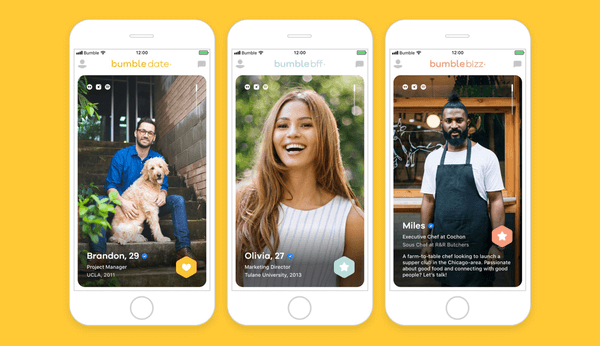
You’ve joined Bumble and are ready to start meeting people. But can your friends see you? The only way they can is if they also have a Bumble account and you appear in their swiping queue. There’s no search function for usernames, and Bumble’s algorithm prioritizes showing profiles that match your set preferences like distance, gender, and age range. So, it’s totally normal to come across a familiar face now and then.
Does Bumble Show Mutual Facebook Friends?
No. Bumble no longer displays mutual Facebook friends. Connecting social accounts is completely optional and is used only to show things like Instagram photos or your Spotify favorites, not your Facebook connections.
Can You Stop Certain People From Seeing You On Bumble?
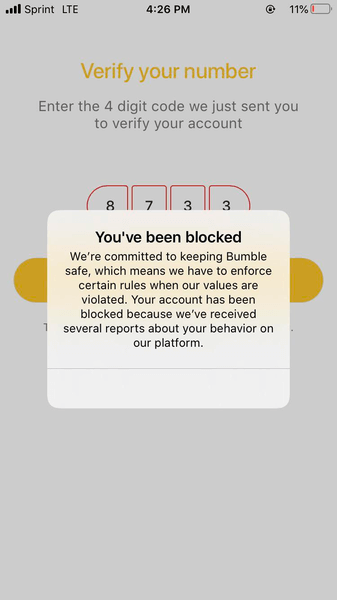
If you don’t want specific people to find you — like an ex or a coworker — you can block and report them directly from their profile. You don’t have to match first, and they won’t be notified. Currently, Bumble doesn’t allow blocking by phone number or contact list uploads. Blocking someone simply removes them from your experience without any alert on their end.
Can You Go Private On Bumble?
If you want to browse more discreetly or take a short break, Bumble offers two privacy tools: Snooze and Incognito Mode.
Snooze Mode (Free)
Snooze hides your profile from new people while keeping your active matches and chats intact. You can choose how long to snooze — from 24 hours up to indefinitely — and return anytime without losing your data.
Incognito Mode (Premium)
Incognito Mode is available through Bumble Premium or Premium+. It hides your profile from everyone except those you’ve liked. If you don’t want your profile circulating widely but still want to swipe, this is the best option for staying low-key.
If you’re worried about friends seeing your profile, using Incognito or Snooze gives you more control. And if you need a total reset, you can always delete your account and start fresh later.
FAQ
Does Bumble still have BFF mode?
Bumble BFF has now moved to its own app called Bumble For Friends, which focuses entirely on making platonic connections. The dating version of Bumble no longer includes BFF.
Can people I’ve blocked see me again?
No. Once you block someone, your profile is hidden from them and they won’t appear in your feed again. Blocking is private and permanent for that connection.
What’s the difference between Snooze and Incognito?
Snooze is free and temporarily hides your profile from new people, while Incognito (a paid feature) makes you visible only to people you’ve liked. Snooze is better for taking breaks; Incognito is for discreet browsing.
Can I stop coworkers or exes from seeing me without blocking them?
There’s no way to block users by phone number or contact list. However, you can narrow your filters or use Incognito Mode to minimize your visibility.
Does Bumble show Facebook friends or mutual connections?
No. Bumble removed mutual friend displays years ago, and linking Facebook is optional. It won’t show any of your friends or contacts on your dating profile.
