
Hinge hasn’t stood still. Since Match Group fully acquired the app, Hinge has added features like Standouts and Roses (plus steady tweaks to discovery and profiles) to help you cut through the noise. Here’s how Roses actually work now—and whether they’re worth using in 2025.
TL;DR
- You get one free Rose every week—it doesn’t roll over.
- Standouts is a special feed; you can only interact there by sending a Rose.
- A Rose pushes you to the top of someone’s Likes You—handy when they’re popular.
- Extra Roses are paid add-ons; pricing varies by region and bundle discounts apply.
- Matching is guided by research behind the Gale-Shapley stable matching system.
Dude Hack Exclusive Offers


How Many Roses Do You Get On Hinge?
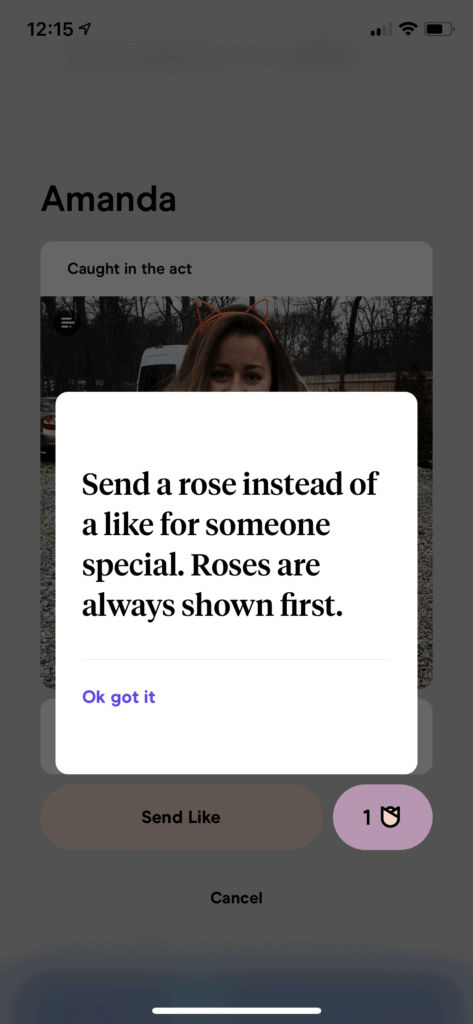
Basically, a Rose is a special like you can send to stand out. You get one free Rose each week, and it doesn’t roll over—so if you don’t use it, you lose it.
Additional Roses are available for purchase, usually priced around a few dollars each depending on your region, with bundle options offering small discounts.
All users, whether free or subscribed to Hinge+ or HingeX, receive the same number of free Roses. Paying for a subscription gives you perks like unlimited likes and advanced filters, but Roses remain an optional add-on.
How To Send Roses On Hinge
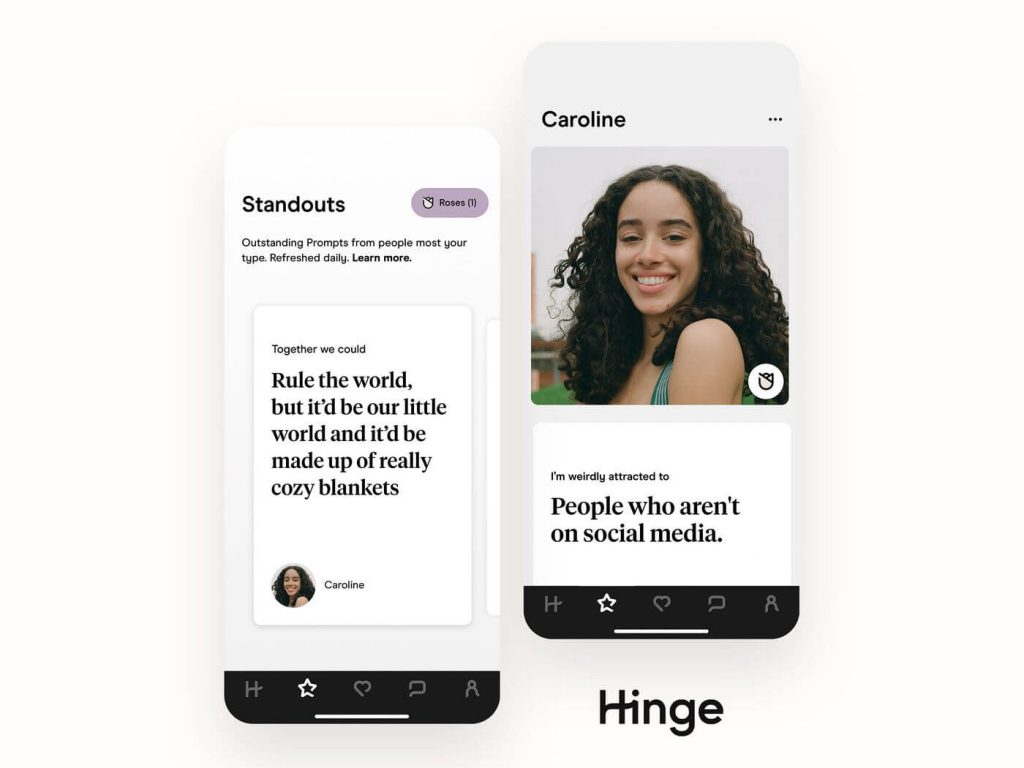
You’ll find Roses in the Standouts tab, marked with a star icon. The number beside the rose symbol shows how many you have left. You can tap the icon to buy more individually or in bundles.
To send a Rose, simply open someone’s profile and hit the Rose icon next to the Like button. You can also include a message, but keep it short and friendly. Think of a Rose as a way to show a genuine spark—don’t overdo it with an intense opener.
How Is A Rose Different From A Like On Hinge?
A regular Like appears in someone’s feed along with many others, while a Rose places you at the top of their Likes You list. This increases your visibility, especially if the person gets a lot of attention.
Roses also carry more intent—they signal that you’re especially interested, not just casually swiping.
How Are Roses Connected To Standouts?
The Standouts tab is a curated feed showing users with standout prompts, photos, or compatibility markers based on your preferences and activity.
You can only interact with these users by sending a Rose, making it a more exclusive way to connect. Standouts refresh daily, so if someone catches your eye, it’s smart to act before they disappear from the tab.
If you want to maximize your results, try sending Roses in your regular feed too—this boosts visibility while avoiding the competition in Standouts.
So, Do I Have To Send Roses Now?
No, Roses are completely optional. You still get one free Rose per week, so you might as well use it to make a strong impression. There’s no pressure to buy more unless you want to.
And honestly, nothing beats a great profile—so before you start sending Roses, make sure your photos, prompts, and bio are on point.
FAQ
Do free Roses roll over if I don’t use them this week?
No, free Roses expire weekly. You’ll always have just one new Rose available each week, so it’s best to use it.
Can I like a Standout without a Rose?
No, you can only interact with Standouts by sending a Rose. If someone in your Standouts catches your eye, you’ll need to use your weekly Rose or buy one.
How much do extra Roses cost now?
Prices vary by location and bundle, but generally range around a few dollars per Rose, with discounts for larger bundles.
Do Hinge+ or HingeX subscriptions include free Roses?
No, subscriptions don’t include Roses. They only add other perks like unlimited likes, advanced filters, and priority visibility.
Are Roses worth it on Hinge?
If someone stands out to you, yes—a Rose helps you get noticed faster. But they’re best used sparingly to show genuine interest rather than as a daily feature.
Why does Hinge mention Nobel-recognized matching research?
Hinge’s algorithm is inspired by the Gale-Shapley “stable matching” model, which helps improve compatibility matches and optimize pairings.
